
In-person Electronic Notarization

In-person Electronic Notarization

In-person Electronic Notarization

North star vision project aimed at consolidating agreement creation and agreement management processes across all DocuSign products.

North star vision project aimed at consolidating agreement creation and agreement management processes across all DocuSign products.

North star vision project aimed at consolidating agreement creation and agreement management processes across all DocuSign products.

ROLE

Lead Product Designer

Lead Product Designer

Lead Product Designer

YEAR

2022-2023

2022-2023

2022-2023

Project Description

Project Description

Project Description

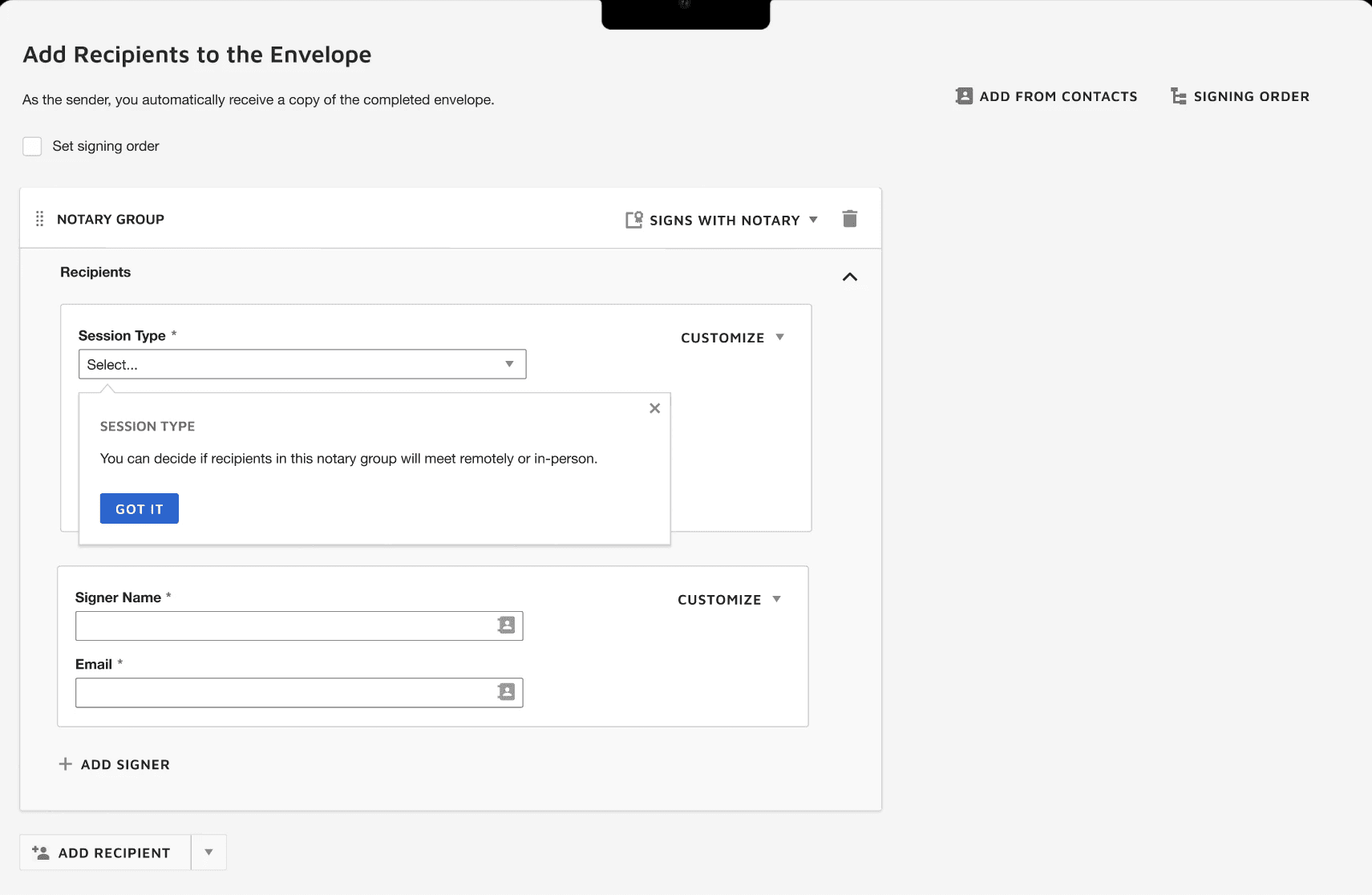
In-person electronic notarization (IPEN) streamlines the notarization process by eliminating the manual paper-based workflow by allowing signers to meet in person with a notary and sign documents on a device.

In-person electronic notarization (IPEN) streamlines the notarization process by eliminating the manual paper-based workflow by allowing signers to meet in person with a notary and sign documents on a device.

In-person electronic notarization (IPEN) streamlines the notarization process by eliminating the manual paper-based workflow by allowing signers to meet in person with a notary and sign documents on a device.

Background

While remote online notarization is seeing increased adoption and implementation during COVID-19, not everyone is ready or able to jump on board. This could be due to unfamiliarity with identity verification, legislation, or broader procedural and security concerns.

Task

Design an in-person alternative to the existing DocuSign eNotary product that provides a digital notarization space while maintaining the human element of meeting face to face with a notary public, ensuring compliant procedures, quicker turnaround times, and flexibility for our users.

Proposed Metrics

  • Increase # of Envelopes generated via Templates

  • Increase % of successfully completed Envelopes via Templates

  • Reduce average Template creation time

Process

Process

Process

Generative Research

User Interviews

User Interviews

Our research team conducted interviews with 18 participants across different industries in order to validate and refine our understanding of users’ mental model surrounding agreement templates.

Our research team conducted interviews with signers and notaries to determine user preferences on signing experience.

Our research team conducted interviews with signers and notaries to determine user preferences on signing experience.

Design & Prototyping

Workflow Setup

Workflow Setup

First pass designs with interactive prototypes created for user testing.

Determine ideal approach and order of operations for signing process.

Determine ideal approach and order of operations for signing process.

User Testing & Iterative Design

Design

Design

Usability testing on design concepts with users and corresponding design changes.

Create net new screens for session onboarding, in-session experience, and organization admins.

Create net new screens for session onboarding, in-session experience, and organization admins.

Validation Testing & Handoff

E2E Prototype

E2E Prototype

Conducted abridged version of user testing to validate findings and design changes. Prepared final prototypes for leadership handoff and presentation.

End-to-end prototype of full session experience for development handoff.

End-to-end prototype of full session experience for development handoff.

Design Considerations:

• How do we help facilitate effective IPEN sessions and ensure signers and notaries are prepared for them?

• How do we ensure we are complying with state notarization legislation?

• What changes need to be made to current Admin experience to accommodate new session type?

• How do we handle potential edge cases, i.e. participant no shows, identity verification issues, etc.?

Research Outcomes

Research Outcomes

Research Outcomes

Notaries

Notaries

Notaries

Users strongly preferred using a clickable button to the key command option. Additionally, the right rail with additional document controls proved to be distracting. Participants did not feel immediately drawn to the '+' icon on the left of the screen.

Signers

Signers

Signers

Animated pulsing '+' icon to draw users' attention to the insert fields option. The animation and callout will be shown in the empty state and to first time users editing a template, but the callout can be dismissed. Even though most users didn't prefer the key command option, I did opt to keep it for accessibility reasons and make it more visible in the callout.

Results

Results

Results

Condensed round of validation testing with these updated designs.

Condensed round of validation testing with these updated designs.

Condensed round of validation testing with these updated designs.

Improved Discoverability

Users were 6 seconds faster to identify and click insert field button.

Increased Efficiency

Users were 20 seconds faster to complete underlining task with inline editor bar.

Higher Success Rate

100% of users were able to successfully edit a generation rule.

Solutions

Solutions

Solutions

Connect to Content

Add layers or components to swipe between.

The resulting agreement creation platform offers a seamless user experience, allowing small businesses and enterprises to create and store templates with conditional logic, built in workflows, forms and more.

The resulting agreement creation platform offers a seamless user experience, allowing small businesses and enterprises to create and store templates with conditional logic, built in workflows, forms and more.

The resulting agreement creation platform offers a seamless user experience, allowing small businesses and enterprises to create and store templates with conditional logic, built in workflows, forms and more.

Template Marketplace

Users can explore recommended templates based on their needs.

Dynamic Fields

Users can apply conditional logic to fields, allowing more flexibility over template creation and editing.

Manage Dashboard

Allows users to store all templates for their organization in one place and create workflows.

Takeaways

Takeaways

Takeaways

Challenges and constraints

Challenges and constraints

Challenges and constraints

Rapid timeline

Would have ideally liked to do more formal validation testing and design iterations.

No engineering involvement

This was a north star research and design project, so would need more engineering feedback and collaboration to determine feasibility of solutions.

Room for improvement

Room for improvement

Room for improvement

Accessibility

Looking back, I think some features or functions are a bit too hidden, specifically the fact that users need to click out of the field input to save it. I would also do further explorations on the dynamic inline formatting bar to make sure it was discoverable.

Design alignment

Process was somewhat siloed working on different features. Design process could have been more collaborative.